You are being redirected to an external/third party website. Please note that IndiGo cannot be held responsible for content and privacy policies on such website.
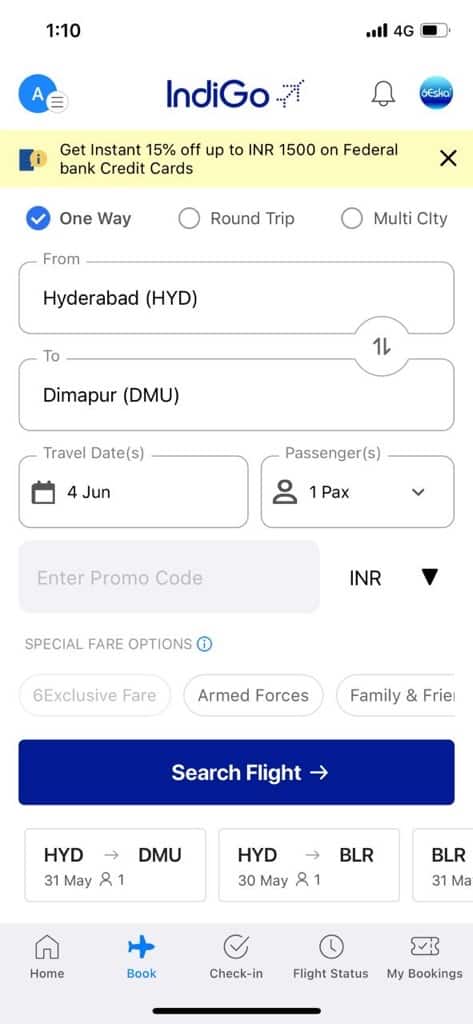
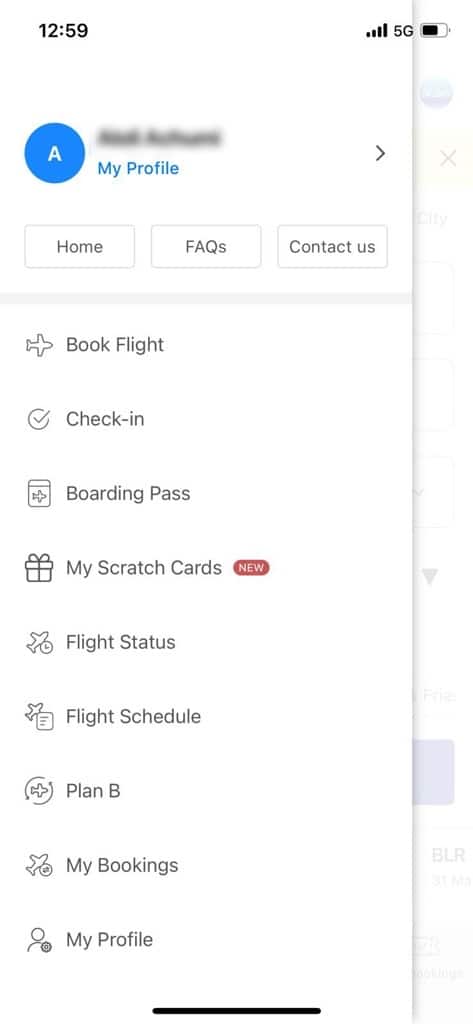
Tap on the blue icon at the top left and click on ‘My Profile’.
Step 3
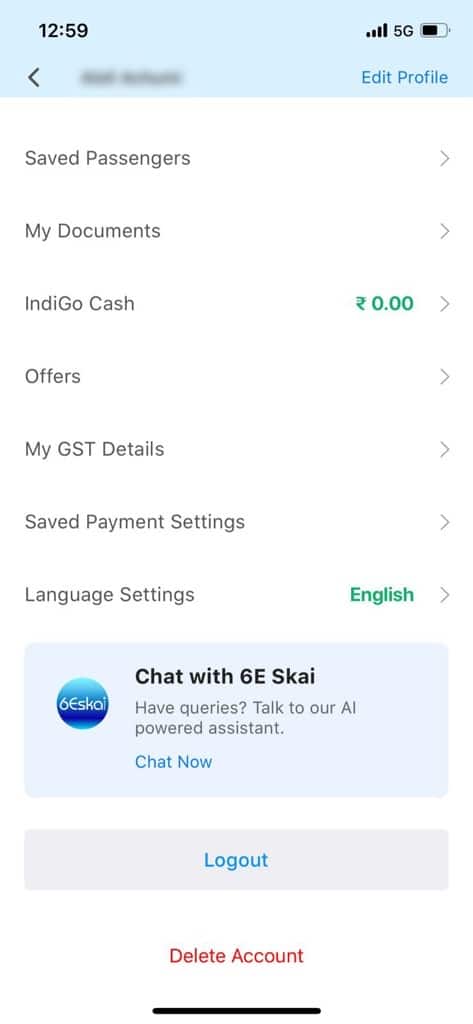
Scroll down to the bottom of the page and click on ‘Delete Account’.
Step 4
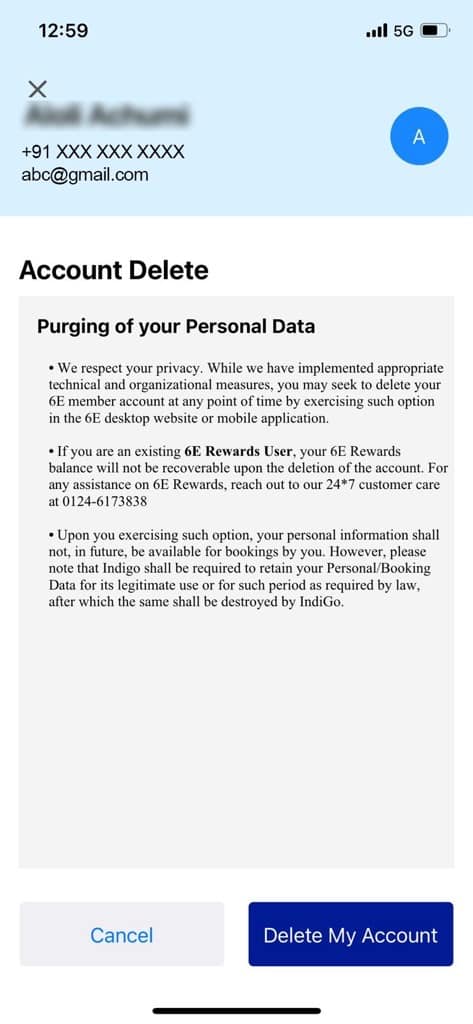
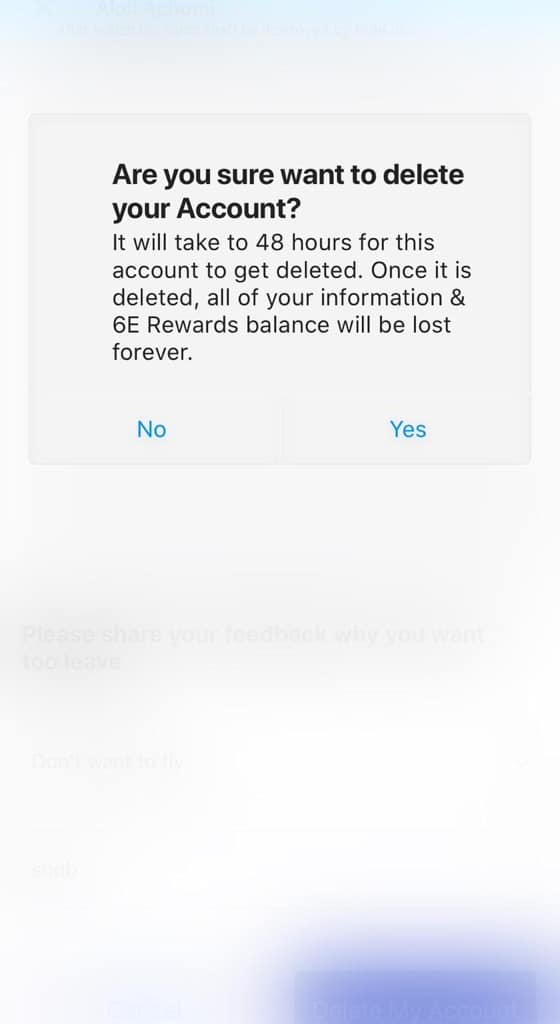
Confirm by clicking on ‘Delete Account’ tab.
Step 5
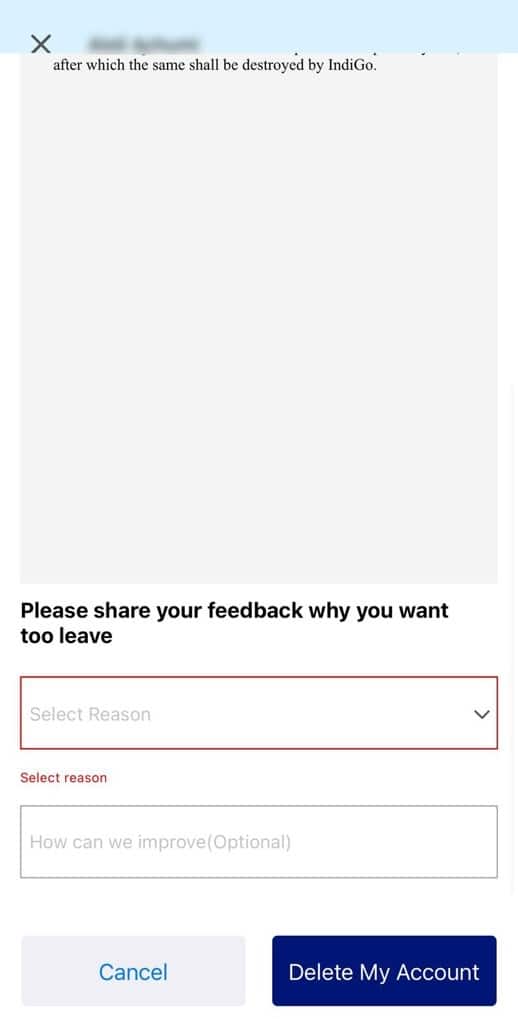
Enter the required information and tap on the ‘Delete My Account’ button.
Step 6
Your account will be deleted after 48 hours.
2300+ Daily flights
90+ Domestic Destinations
40+ International Destinations
750 Mn+ happy passengers
400+ Fleet tall
Still there? Session has timed out
Select Departure City
Select Arrival City
Select Departure City
Select Arrival City
Select Departure City
Select Arrival City
Select Departure City
Select Arrival City
Select Departure City
Select Arrival City
Select Departure City
Select Arrival City
Select Departure City
Select Arrival City
Select Departure City
Select Arrival City
Select passenger(s)
Add Double Seat1 + 1 Seat
Add Triple Seat1 + 2 Seat
Add Double Seat1 + 1 Seat
Add Triple Seat1 + 2 Seat
Add Double Seat1 + 1 Seat
Add Triple Seat1 + 2 Seat
Select travel dates
Select travel dates
Select travel dates
Select travel dates
Select travel dates
Select travel dates
Select travel dates
Select your Nationality
Citizens of Nepal and Maldives are eligible for tax exemption/reduction, as per applicable laws, on the airfare. In order to avail such tax exemption/reduction, passengers must declare their correct nationality at the time of booking. In case citizens of Nepal or Maldives intend to travel with any foreign nationals, such citizen (passenger) are requested to kindly book tickets for accompanying foreign national (passengers) in a separate PNR/ticket. Once selected, the nationality cannot be changed at any point during the booking process.